
Beneficiary Enrollment
Enroll your beneficiaries online.
Need to enroll your beneficiaries?
Go to Member Portal

Enrollment Guide
Enroll a beneficiary in a few easy steps!
1
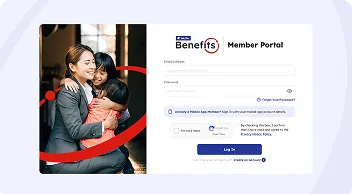
Log in to the Member Portal
Access the InLife Benefits Member Portal and login using your details.For Mobile App members, login with your app credentials.
2
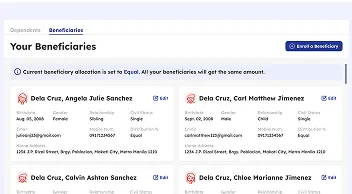
Go to the Beneficiaries Page
Click on the ‘Beneficiaries’ tab and press the ‘Add Beneficiary’ button on the top right.
3
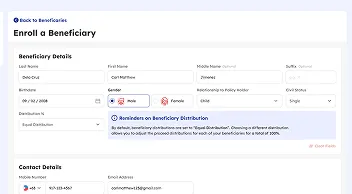
Fill up the Beneficiary Form
Enter your beneficiary’s details as indicated on the form. Note that you’ll need to allocate distribution among your beneficiaries.
Beneficiary FAQs
Common questions about enrolling your beneficiaries.
The insured member has the right to designate anybody, not disqualified by law, as his beneficiary/ies.
You may enroll and update your beneficiary/ies thru the Member Portal.
Insured Member's beneficiary/ies will receive the Benefit Amount within 14 working days from receipt of complete claims documents. Our Claims Team will provide updates in relation to this.
To know more about filing a Life Claim, visit our Life Claims Page.
The Member Portal serves as your convenient and accessible reference on who are your enrolled beneficiaries.
You may also make changes on your list thru the said portal.